
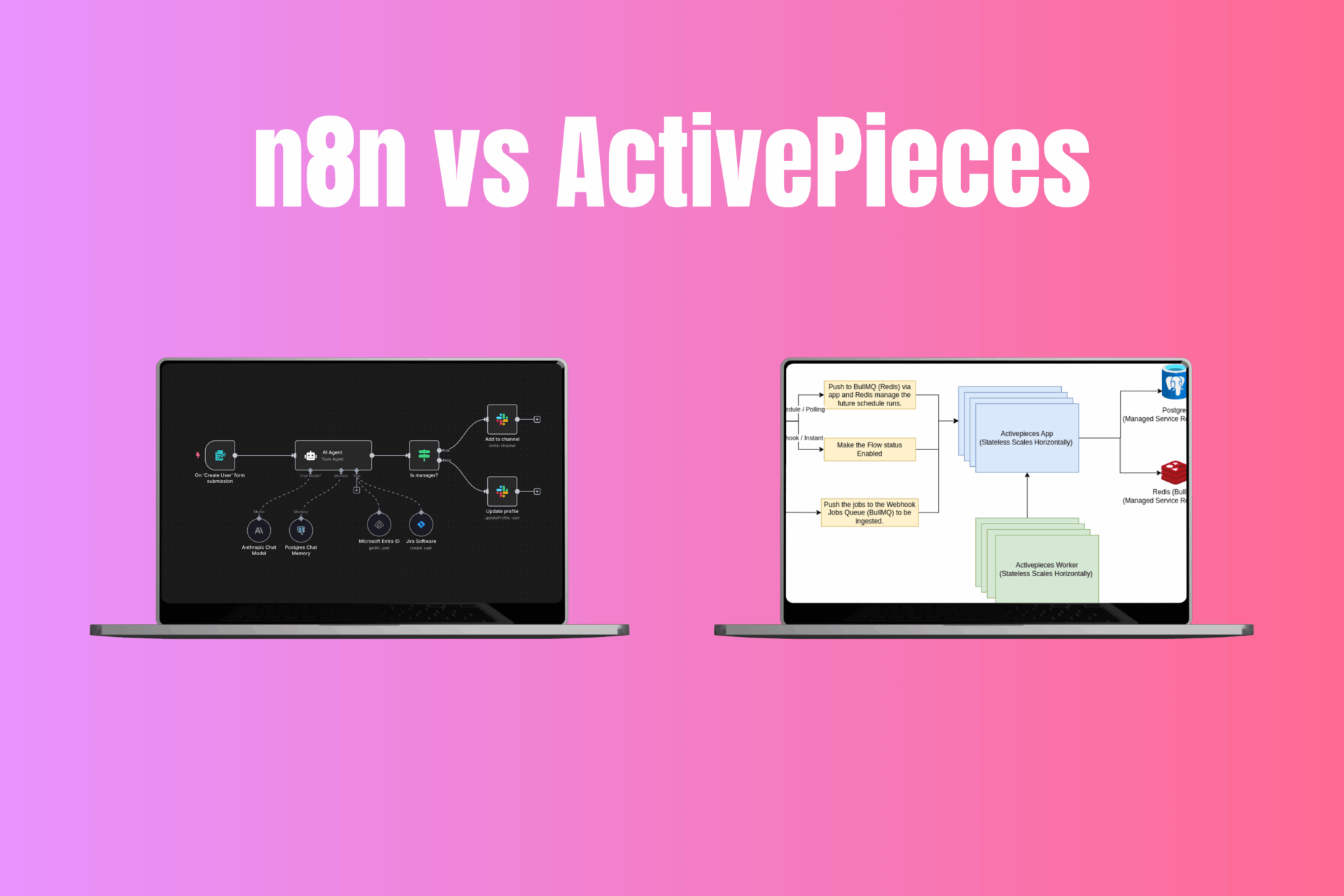
In the rapidly evolving world of automation, n8n and ActivePieces have emerged as two leading platforms for workflow automation, marketing integration, data aggregation, and even AI-powered processes. Both tools let you connect apps and orchestrate complex tasks without reinventing the wheel. But which one is right for your needs? This comprehensive guide compares n8n and ActivePieces head-to-head, with deep dives into pricing, features, use cases, real-world results, and more. By the end, you’ll have a clear verdict for developers, marketers, small teams, and enterprise users alike.
Quick Verdict

TL;DR: ActivePieces is the newcomer offering no-code simplicity and unlimited tasks at a flat rate, while n8n is the power-user’s choice with robust customization and a proven track record. Marketers and non-developers will appreciate ActivePieces’ ease of use and built-in AI agents, whereas tech-savvy users might prefer n8n’s extensive integrations and coding flexibility.
Comparison Snapshot Table
To start, here’s a quick side-by-side comparison of ActivePieces vs n8n on key criteria:
| Category | ActivePieces | n8n |
| Pricing | Free tier (1,000 tasks/mo) & affordable flat-rate plans with unlimited tasks on paid tiers . Self-hosted open-source version is free (bring your own server). | 14-day free trial (no permanent free cloud); Starter ~$24/mo for 2,500 executions & 5 workflows . Self-hosting is free and unlimited, but you cover server costs . |
| Integrations | ~330+ built-in “pieces” (connectors) covering popular apps . New integrations added rapidly (open-source community contributions). | 500+ pre-built nodes/integrations , one of the largest libraries. Also supports community-contributed nodes and custom API calls. |
| Hosting Options | Cloud: Managed service by ActivePieces (SOC 2 Type II compliant) or Self-Host: Docker deployment in any environment . MIT open-source license – extremely permissive for customization . | Cloud: n8n Cloud (hosted in EU data centers) or Self-Host: Docker/NPM in your own VPC . Source-available under a fair-code license (limits offering it as a service) . |
| Ease of Use | Very beginner-friendly UI – intuitive drag-and-drop editor, clear step naming, built-in debugger. Great for non-technical users . Offers templates and an AI Copilot to help with code steps . | Designed with developers in mind – powerful but with a steeper learning curve for complex workflows . Requires more technical knowledge (e.g. using expressions, code nodes) . Fewer starter templates than some competitors. |
| AI/LLM Features | Built-in AI Agents framework for autonomous GPT-powered workflows . Can chain multiple agents, use GPT-4, Claude, etc., with tool access – essentially an AutoGPT-like system inside your automations . Also supports standard AI steps (OpenAI integration, etc.). | Basic AI integration – has OpenAI nodes and an experimental “AI Agent” node , but not as advanced as ActivePieces’ agent system. n8n’s focus is more on letting you incorporate AI via API calls or custom code, rather than a native multi-agent UI. |
| Security | Strong isolation for workflows (each execution in a separate process for safety) . Great for multi-tenant or enterprise use. Fully open-source (MIT) means full transparency. Cloud platform is SOC 2 certified. Self-host users control all data. | Robust security options for enterprise (encryption, LDAP/SSO in enterprise plan). Workflows run in-process using a sandbox (faster, but theoretically less isolated ). n8n does not call itself “open source” by OSI definition due to its license , but the code is public. Self-hosting allows data to stay on your servers . |
Note: Both platforms allow on-premise deployment for maximum data privacy, which is a big advantage over closed SaaS rivals like Zapier or Make .
In-Depth Comparison
Pricing & Total Cost of Ownership

When it comes to pricing, ActivePieces and n8n take very different approaches. ActivePieces uses a flat pricing model with no per-task fees on paid plans , whereas n8n’s cloud has usage-based limits similar to traditional automation tools (though self-hosting n8n is free).
- ActivePieces Cloud Pricing: ActivePieces offers a generous free tier (1,000 tasks per month + 200 AI credits) to let you test and run small workflows . Paid plans start at $25/month (“Plus”) which includes unlimited task executions – a rare offering in this space . The Plus plan allows up to 10 active flows and even includes advanced features like AI Agents and unlimited internal data tables . There’s also a $150/mo Business plan (50 flows, 5 users, etc.) for larger teams . The key point: ActivePieces does not meter your usage on paid plans – no surprise overages or forced upgrades for running too many automations . This “unlimited tasks” approach is a game-changer if you have high-volume workflows, since competitors’ costs scale up sharply with usage . ActivePieces essentially shifted the cost to a predictable flat fee, so you can automate freely without counting tasks .
- n8n Cloud Pricing: n8n’s cloud plans impose execution limits. The Starter plan (~€20/month, billed annually) includes 2,500 workflow executions per month and 5 active workflows . Higher tiers (Pro, etc.) raise these limits (e.g. 10k execs, 15 workflows on Pro) for a higher price. Notably, as of 2025 n8n does not have a permanent free cloud tier – they only offer a 14-day free trial . This means after the trial, you must pay to continue on n8n Cloud. The cloud pricing can become pricey at scale: for example, 2,500 executions on Starter ($24) and up to 50k on higher plans, with costs rising accordingly. Self-hosting n8n is an alternative to avoid those fees – the Community Edition is free to run on your own server with unlimited executions . However, self-hosting comes with indirect costs: you’ll need to pay for a VPS or hardware and handle maintenance/updates yourself . A small VM might cost ~$5-10/month to run n8n, which is inexpensive, but the TCO includes your time/effort to manage it.
- Self-Hosting Comparison: Both tools have free self-hosted options, but ActivePieces may be easier to deploy and maintain. ActivePieces is lightweight to install (Docker-based, with an embedded database) – “a few commands and you’re up and running” . n8n can also be spun up via Docker quickly, using SQLite or an external DB. The difference is largely license and support: ActivePieces is MIT licensed (modify as you wish, no strings) , whereas n8n uses a custom Sustainable Use License (source-available but restricts offering n8n as a service) . In practical terms, individual users won’t feel n8n’s license, but companies that plan to embed or resell automation may favor ActivePieces’ truly open license. Also, ActivePieces’ cloud pricing is so reasonable that some teams might choose it over self-hosting to save engineering effort – e.g. $25 for unlimited usage versus the devops time to maintain a free n8n server.
- Total Cost for Various Scales: For small-scale usage, both platforms can be very low-cost (ActivePieces free tier vs. n8n self-host on a cheap server). For medium usage, ActivePieces Plus at $25 is extremely cost-effective – comparable competitors (Zapier, Make) would charge exponentially more for similar throughput . n8n’s closest offering for mid-range use would be self-hosting (your cost is essentially a fixed server cost). For large-scale or enterprise, self-hosting either tool is the way to get “unlimited” usage. Here the cost difference comes down to infrastructure and manpower: n8n might require a more powerful setup (and careful scaling with multiple workers) to handle enterprise loads, whereas ActivePieces has an upcoming option to add “dedicated workers” for heavy use cases . Both projects are far cheaper at scale than per-run pricing of commercial iPaaS solutions.
Bottom Line (Pricing): ActivePieces wins on pricing simplicity for cloud users – its unlimited task model means no running meter on your automations . If you prefer a hosted solution and don’t want to worry about hitting quotas, ActivePieces offers predictable flat pricing that’s hard to beat . n8n, on the other hand, gives you a choice: pay for managed hosting with usage caps, or self-host for “free” unlimited usage (trading money for maintenance). For a developer who doesn’t mind running their own server, n8n can be very cost-effective. But for a non-technical team, ActivePieces provides unlimited usage without self-hosting, which is extremely attractive in terms of TCO.
Core Features & Performance

Both n8n and ActivePieces are feature-rich automation platforms. They share core capabilities like visual workflow building, conditional logic, looping, scheduling, and an array of integrations. Let’s compare how they stack up in terms of features, extensibility, and performance:
- Workflow Builder & UX: ActivePieces offers a modern drag-and-drop interface that emphasizes simplicity . Triggers and actions (“Pieces”) are added in a linear flow, and you can easily add forks (if/else conditions), loops, and error handling steps. Users consistently praise ActivePieces’ UI as clean and intuitive – it feels closer to Zapier in ease-of-use, rather than a developer tool. In fact, G2 reviewers rated ActivePieces higher for Ease of Setup (9.1) versus n8n (7.7) . The design avoids clutter, and things like real-time hints and a step-by-step debugger make it friendly for non-technical users. n8n also has a visual editor where you connect nodes on a canvas. It’s powerful, but can be overwhelming for newcomers . n8n’s interface exposes more technical detail (like JSON schemas, function code blocks, etc.), which is great for power users but might intimidate a marketer. In short: ActivePieces’ UI is geared to be approachable, whereas n8n’s UI caters to those who don’t mind a bit of complexity to unlock advanced tricks.
- Integrations (Connectors): Out-of-the-box, n8n has a broader set of integrations than ActivePieces – officially over 500 nodes covering popular apps and services . ActivePieces launched later and currently has ~330 built-in pieces for apps (Google Workspace, Slack, HubSpot, SQL databases, etc.) . The gap is closing quickly as ActivePieces’ community and team add new connectors weekly. Both platforms let you connect to anything via HTTP requests or custom code if no native integration exists. Notably, n8n’s connectors tend to be more mature in functionality. For example, one user found n8n’s IMAP (email) integration allowed advanced filtering and folder targeting, whereas ActivePieces’ IMAP piece was more basic . This reflects n8n’s longer development – its nodes often have many options and sub-features. ActivePieces covers all common actions, but in some cases might lack the last 10% of niche settings (which you can often work around with a code step or API call). For most users, both tools cover the essential apps. If you need an obscure integration, check n8n’s list first. On the flip side, ActivePieces’ “Develop Piece” SDK makes it straightforward to write and contribute new integrations (TypeScript based), and its permissive license encourages an open ecosystem .
- Extensibility & Coding: Both ActivePieces and n8n allow inserting custom code into workflows, which is a huge benefit for developers. ActivePieces provides a Code piece (JavaScript) with access to npm libraries and even an AI assistant to help write code . n8n offers a similar Function node (JavaScript or even Python in latest versions) for custom logic . In practice, both are very extensible: you can essentially do anything a programming language allows. n8n perhaps gives you more native ways to extend; for instance, n8n supports building custom nodes (in JavaScript) that you can add to your installation, and it has features like an API to programmatically trigger workflows or a CLI for scripting operations . ActivePieces doesn’t yet have a full plugin system beyond adding new “pieces,” but that covers similar ground. For developers, n8n’s environment might feel more familiar – it’s essentially Node.js under the hood and you can get under the hood more. ActivePieces, while also Node-based, abstracts more by design (to keep it simple for non-devs). Still, ActivePieces balanced this well: it’s no-code for 99% of use cases, with the option to drop to code for the 1% where needed . Both tools support version control of workflows (n8n has Git integration in enterprise; ActivePieces has JSON export/import) and both have frameworks to create custom connectors.
- Advanced Features: A few distinguishing features are worth noting:
- ActivePieces “Tables”: ActivePieces includes a built-in database feature called Tables where you can store and retrieve data within the platform (like a lightweight Airtable) . This is super useful for certain automations – e.g. keeping state, lists, or reference data without setting up an external DB. Zapier/Make lack this, and n8n also does not have native tables (you’d use an external DB or Google Sheet as a workaround) . This shows ActivePieces’ focus on convenience for non-developers.
- n8n Workflow Complexity: n8n supports more complex workflow topologies – you can have multiple triggers and merge streams, use its built-in nodes for lists, merge, and wait, etc. ActivePieces flows are currently more linear (one trigger, then steps; you can branch with conditions but not have two separate triggers in one workflow). In practice, one workflow per trigger is fine for 99% of cases, so this isn’t a big limitation. But technical users might design elaborate multi-trigger orchestrations in n8n which aren’t the ActivePieces style (you’d just use multiple flows).
- Error Handling: Both have error handling capabilities. ActivePieces automatically retries failed tasks and allows “On Error” paths. n8n similarly has error triggers and retry settings. G2 reviews mention ActivePieces gives a more visual approach to error tracking, likely referring to its UI prompts, while n8n requires checking execution logs . Overall, they are on par for reliability features.
- Collaboration: n8n Cloud allows unlimited users on an instance even in the base plan , with role-based access in higher tiers. ActivePieces cloud introduced multi-user support at the Business tier (5 users included) . So for a team collaborating, n8n might actually be more generous on lower plans, whereas ActivePieces would require the $150 plan for multiple users. However, ActivePieces self-host could be modified to allow multi-user if needed (since source is open).
- Performance: This is where some stark differences appear. n8n is known to handle high-volume workloads well, with reports of up to 220 executions per second on a single instance under optimal conditions . It’s built in Node.js and uses a lighter-weight approach to running tasks (all in one process using a sandbox, which avoids process spawn overhead). ActivePieces, as of early 2024, had a heavier isolation model – each execution runs in a separate process (which is safer for multi-tenant scenarios, but adds latency) . Users noticed that for very fast, high-volume triggers, ActivePieces was slower. One benchmark showed a simple task taking 0.5–1s on n8n vs ~15s on ActivePieces under equivalent server specs . In a batch test of ~77 concurrent requests, n8n finished all in ~20 seconds, while ActivePieces took ~2 minutes . That’s a significant difference – n8n currently outperforms ActivePieces for high throughput scenarios . The root cause is the process-per-task overhead in ActivePieces. The good news: ActivePieces’ team is actively addressing this. They’ve planned an “unsandboxed mode” or dedicated worker option that can boost processing speed 50x for trusted environments . This basically lets ActivePieces run like n8n (trading some isolation for speed) when you need raw performance. So by late 2024 and 2025, ActivePieces is closing the performance gap. For now, if you need to handle hundreds of triggers per second, n8n is the safer bet performance-wise. If your automations are more modest (e.g. a few triggers per minute), you likely won’t notice a difference – both will work fine.
- Scalability: Both tools can scale, but in different ways. n8n can be horizontally scaled (multiple instances or workers) for self-host, and the enterprise version supports advanced clustering. ActivePieces being stateless and containerized is also easy to scale out – e.g., you can run multiple worker containers behind a queue. ActivePieces cloud is already doing this behind the scenes for you. Essentially, scaling is achievable on both, but n8n has more real-world battle-testing at massive scale (companies have used n8n for years in production). ActivePieces is newer, but its architecture (server + workers with Bull queue) is standard and scalable; it just might require a bit more tuning if you push it to extremes.
Bottom Line (Features & Performance): n8n and ActivePieces are both very capable. n8n excels in raw power and breadth – more pre-built integrations , more complex workflow logic, and currently faster throughput for huge workloads. It’s a developer’s playground, allowing extremely sophisticated automations (if you have the skill to leverage them). ActivePieces shines in approachability and innovation – its built-in AI Agents are a unique differentiator , and the overall UX lowers the barrier to creating automations without coding. It covers the vast majority of use cases with less fuss. For typical business workflows (integrating SaaS apps, moving data around, sending notifications, etc.), ActivePieces’ features are more than sufficient and arguably easier to use day-to-day. Only if you have very specific needs (e.g. a niche app that only n8n supports, or extremely high frequency events) would n8n clearly be the better choice. Otherwise, ActivePieces often gets the job done with less effort. And remember – since both are free to try (self-host or free tier), you can experimentally build the same workflow in each to see which you prefer.
Use-Case Fit

The “best” automation platform can depend on who is using it and for what. Here’s a breakdown of ActivePieces vs n8n for different user segments and scenarios:
| User Segment / Use Case | ActivePieces 💡 | n8n 🔧 |
| Non-Technical Users / MarketersExample: Marketing teams automating email lists, social media posts, CRM updates without coding. | Ideal choice. ActivePieces is built for marketing, ops, and business users to automate without touching code. The UI is straightforward and there’s less “dev jargon” to deal with. For common marketing tasks (e.g. sync leads from Facebook Ads to a CRM, schedule tweets, trigger emails from form fills), ActivePieces provides templates and easy setups. Its unlimited tasks mean marketers won’t get bill shock when a campaign performs well (no task overages) . The addition of AI Agents also lets marketers leverage GPT-4 for content generation or analysis within workflows – something n8n lacks in a ready-to-go fashion. In short, ActivePieces empowers non-tech teams to build fairly advanced automations on their own. | Moderate to Difficult. n8n can certainly handle marketing automation tasks, but it may be overkill or intimidating for non-tech staff. Marketers would appreciate n8n’s capabilities (it can connect to many ad platforms, send data to BigQuery, etc.), but they might need a developer’s help to set it up properly. n8n’s learning curve is higher, and something as simple as adding a formula might require writing an expression or JavaScript code, which marketers might avoid. If there’s an ops or tech-savvy person on the team, n8n can be configured to do anything – but pure marketers tend to prefer simpler interfaces (which is why tools like Zapier gained popularity). |
| Developers / Technical UsersExample: A developer automating devops tasks, integrating APIs, or building custom data pipelines. | Good, with some caveats. ActivePieces does allow custom code and has an SDK for new pieces, so developers can extend it as needed. It’s great for quickly whipping up internal tools or integrating with webhooks and APIs. The platform’s focus on simplicity means less low-level tweaking – which can be a pro or con. Developers might find ActivePieces “just works” for standard needs, but if they want to deeply customize execution or environment, it’s somewhat abstracted. On the plus side, a dev can build something in ActivePieces and hand it off to a non-dev colleague to maintain (since the UI is easier), which is a nice collaboration aspect. ActivePieces also being open-source (MIT) means devs can contribute or fork it freely, aligning with open-source ethos. However, truly hardcore developers who enjoy coding might find ActivePieces a tad too no-code in spirit (less opportunity to script every detail). | Excellent choice. n8n was practically made for developers who want the flexibility of code with the convenience of a visual workflow. If you know JavaScript, you can achieve almost anything in n8n – embed custom scripts at will, call any API, manipulate data structures, etc. It’s also great for connecting dev tools: e.g., automating Jira, GitHub, CI/CD processes, cloud infrastructure triggers, etc. Many devs use n8n as a “Swiss Army knife” for backend tasks. The trade-off is that devs may need to invest time to unlock n8n’s full potential (writing functions, learning its quirks). But they usually don’t mind. Also, if you need to self-host and perhaps even modify the codebase, n8n’s source is available. Just be mindful of the license if you plan to embed it in a product. All in all, for technical users who demand control, n8n offers more power and customization. |
| Small Businesses / StartupsExample: A lean startup automating business ops (e.g. syncing orders, notifications, reporting) on a budget. | Great fit. ActivePieces’ free tier and low-cost plans are extremely attractive to small businesses. You can likely run most of your processes on the free 1,000 tasks/month (which beats Zapier’s 100 tasks free limit easily) . As needs grow, $25/month for unlimited automations is a predictable cost that any serious business can afford. Functionality-wise, ActivePieces will cover typical startup needs: it has pieces for marketing, sales, support, finance apps, etc. Without a dedicated engineer on the team, ActivePieces lets founders or ops folks DIY their automations. They can avoid hiring a developer or relying on expensive enterprise tools, since ActivePieces strikes a nice balance of power and ease. Also, being able to self-host for free means if your SaaS budget is truly near zero, you can still get the full product running internally. | Good, but consider maintenance. n8n is also free if self-hosted, which is a huge plus for startups with tech expertise. Many early-stage startups use n8n to avoid paying for Zapier or other iPaaS. It works well, but you’ll need someone to maintain it (ensuring the server is up, doing updates). For a very lean team, that’s a consideration. On the cloud side, n8n’s cost will grow if your usage grows (e.g. $20 for basic, but if you suddenly need 10k executions, you’d move to a higher plan). Startups that are tech-heavy won’t mind n8n’s complexity; in fact, they might push its limits in creative ways. Those more business-focused might lean toward ActivePieces for its ready-to-go simplicity. |
| Enterprise / IT TeamsExample: An enterprise integrating internal systems, with strict compliance and potential for thousands of workflows. | Strong contender, especially for on-prem. ActivePieces being open-source and self-hostable makes it appealing to enterprises that need to control data (finance, healthcare, etc.). They can deploy ActivePieces in their private cloud or on-prem servers and even customize it. ActivePieces has already been adopted by some Fortune 500 companies . From a compliance standpoint, the SOC 2 certification of ActivePieces Cloud is a green light for many security departments. And the MIT license means there’s no legal friction to use it organization-wide. One potential concern is performance at massive scale – as discussed, ActivePieces is improving here, but an IT team should test it for their workload patterns. The vendor (ActivePieces Inc.) is relatively new but does offer enterprise support on a custom basis. For multi-team collaboration, enterprise features like SSO, audit logs, role-based access are available in the Enterprise plan . In summary, enterprises that value open-source, data sovereignty, and cost-efficiency will find ActivePieces very appealing. It’s a way to provide no-code automation capabilities internally without a big price tag. | Proven in enterprise scenarios. n8n counts large tech companies among its users (logos include Microsoft, UBS, and others) . Enterprises can opt for n8n’s Enterprise plan which includes premium support, unlimited workflows, advanced security integrations, etc. or self-host the Community edition and perhaps purchase support separately. n8n’s fair-code license doesn’t prevent internal use, so enterprises can comfortably deploy it internally (the license mainly restricts offering n8n as a service to third parties ). In practice, n8n has a track record of handling complex enterprise workflows, and the company behind it (n8n GmbH) has grown and raised funding to ensure continued development. IT teams might appreciate n8n’s flexibility to script and integrate with devops pipelines. However, cost-wise, an enterprise at scale would need either significant internal engineering for self-host or to negotiate a potentially sizable contract for n8n Cloud if doing tens of millions of executions. ActivePieces could offer a lower-cost alternative here. Enterprises evaluating both will weigh n8n’s maturity and performance vs ActivePieces’ openness and flat pricing. |
Real-World Results & Case Studies

It’s one thing to compare features on paper, but what about actual results and user experiences? Let’s look at some real-world indicators for ActivePieces and n8n:
- User Satisfaction: Both platforms receive high marks from users. On G2, ActivePieces and n8n each have an average 4.8 out of 5 stars , indicating a very happy user base for both. Reviewers often praise n8n’s flexibility and ActivePieces’ ease-of-use. For example, users report n8n excels in “Workflow Automation” with a score of 9.7, and ActivePieces is close behind . ActivePieces slightly edges n8n in ease of setup (9.1 vs 7.9) and quality of support (9.2 vs 9.1) , while n8n scores higher on number of connectors and data transformation capabilities . The differences are small, which suggests most users are satisfied with both tools’ capabilities in practice.
- Community & Popularity: n8n is one of the most popular automation tools in open-source – it skyrocketed on GitHub, surpassing 100k+ stars by late 2024 . This puts n8n among the top projects on GitHub, reflecting a huge community interest and contribution. It also means there are plenty of community-made examples, tutorials, and forum Q&As to draw on. ActivePieces, while newer, has shown impressive growth: it reached 10k+ GitHub stars within its first year and was one of the trending open-source startups in 2023 . By 2025 it’s continuing to climb (in the 14k-15k star range). It also boasts 270+ contributors to its repository , which is remarkable for a young project – indicating a vibrant open-source community. ActivePieces’ founders actively engage on forums (e.g. personally responding to performance discussions and inviting collaboration) . So while n8n currently has the larger community and mindshare, ActivePieces is catching up fast with an enthusiastic base of its own. For a user, this means you’ll find community help for both, though n8n might have more third-party content (blogs, YouTube tutorials, etc. as it’s been around longer).
- Enterprise Adoption: Each tool has some notable adoption. n8n has been used by companies like Audi, Siemens, and even governments for internal automation. On n8n’s website they list logos such as Microsoft, Twilio, and Zendesk as users , underscoring trust at scale. ActivePieces also lists big names like Google, Redbull, Rakuten, ClickUp and more as users of either their cloud or self-hosted edition . Being backed by Y Combinator and having a rapidly growing user base (100k+ users according to ActivePieces’ site) , ActivePieces has proven it can serve real business needs reliably. We’ve also seen case studies of users migrating from Zapier to ActivePieces to cut costs and from n8n to ActivePieces to improve usability, and vice versa from ActivePieces to n8n for very complex cases.
- Performance in the Wild: Many startups have stress-tested these platforms. For example, one user on Reddit tried Automatisch (another tool), ActivePieces, and n8n for an email automation use-case. They concluded “n8n is the self-hostable automator I’d recommend… ActivePieces has potential but some modules lacked depth” . This was in mid-2023 when ActivePieces was quite new – since then ActivePieces has added many features (including the entire AI Agents system and more integrations). In 2024, another user did heavy load testing as mentioned, where n8n was faster (as we discussed in performance). ActivePieces devs responded and improved the system shortly after . The takeaway is both tools are capable in production, but n8n currently might have an edge in heavy-duty reliability simply due to maturity. ActivePieces is iterating quickly though, and its cloud infrastructure is running millions of tasks reliably each month , which indicates it’s battle-tested for most scenarios.
- Support & Ecosystem: n8n, being older, has a lot of community nodes and an ecosystem (e.g. n8n Hub for sharing workflows). The company offers a forum and documentation which are quite comprehensive. ActivePieces has a community forum, Discord, and growing documentation as well. Interestingly, G2 reviews gave ActivePieces a slightly higher support rating – possibly because the team is very responsive and eager to help early adopters. Both teams are actively maintaining the projects, with frequent releases. ActivePieces being fully open source means even if the company disappeared, the community could continue it – a factor some consider for “sustainability” (more on that next). n8n’s code is also public, but its license means a fork can’t simply remove the license restrictions. However, n8n’s company is well-funded and looks here to stay, so risk is low.
In summary, real-world usage indicates that you won’t go wrong with either tool. They have high user satisfaction and are delivering tangible value (e.g. companies saving on Zapier bills, implementing complex workflows, etc.). n8n is a proven workhorse beloved by developers, and ActivePieces is a rising star delighting users who want power without complexity. The final decision might come down less to capability (both can do the job) and more to philosophy and fit for your organization.
Sustainability / Ethical Considerations

Beyond features and cost, it’s important to consider the philosophy and long-term implications of adopting an automation platform. In this regard, ActivePieces and n8n have some fundamental differences in openness and business model.
- Open Source Licensing: ActivePieces is fully open-source, released under the MIT License . This extremely permissive license means you have the right to use, modify, self-host, and even redistribute ActivePieces however you want, with virtually no restrictions (you just need to keep the license notice in the code). For users and companies with an open-source ethos, this is ideal – you’re not locked in to the vendor. The community can fork the project, contributions are welcome, and there’s a sense of transparency. n8n’s licensing is more complex. n8n originally was Apache 2.0 + Commons Clause and later moved to a custom Sustainable Use License (SUL) . This is a type of fair-code license they created, which is source-available but not OSI-approved “open source” (because it places a usage restriction). In simple terms, n8n’s license allows free use, including self-hosting in production, as long as you are not offering n8n itself as a service to others. If you wanted to, say, build a Zapier competitor based on n8n and sell it, that would violate the license unless you obtain a commercial license from n8n GmbH. For an end-user or an internal enterprise deployment, the SUL doesn’t practically limit you – you can run n8n for free internally . But ethically, some open-source purists don’t like fair-code licenses. It’s a trade-off n8n chose to ensure they can sustain a business (so others can’t just resell their cloud service). ActivePieces, by contrast, took the pure open-source route, trusting that a hosted offering and enterprise features can monetize the project without restricting usage. Depending on your viewpoint, you might favor one model over the other.
- Community vs Company Control: With open-source projects, longevity can be affected by how they’re governed. ActivePieces is backed by a company (which is building the cloud service and leading development) but the MIT license means the community could fork and continue the project if needed. It gives leverage to the users – the tool can’t be wholly taken away or closed down. n8n’s source is open but not open-source; the company retains more control. If n8n GmbH one day changed the license or introduced a closed component, users would have to stick with the last SUL version or seek alternatives. That said, n8n has been very supportive of its community and shows no signs of abandoning them – they open-sourced a lot of code and only restrict the narrow case of SaaS resale. In terms of sustainability, n8n’s business model (cloud subscriptions and enterprise sales) appears successful, which is good for ongoing support. ActivePieces is newer in monetization but their pricing is attractive, which could drive adoption and revenue. Ethically, one could argue ActivePieces aligns more with the FOSS (Free and Open-Source Software) philosophy, whereas n8n aligns with a “commercial open” philosophy where user freedom is slightly curtailed to protect the business.
- Privacy & Data Sovereignty: Both ActivePieces and n8n allow self-hosting, which is a boon for privacy. If you run either on-premises, your data stays on your servers and doesn’t touch third-party infrastructure . This is crucial for sectors like healthcare, finance, government, or anyone with GDPR concerns – and it’s something you cannot do with proprietary iPaaS like Zapier, which operate only in their cloud. ActivePieces and n8n each enable an air-gapped mode (no external internet access) for truly secure deployments . On the cloud side, n8n Cloud stores data on EU servers in Frankfurt and emphasizes GDPR compliance . ActivePieces Cloud is also presumably GDPR compliant and SOC 2 certified, meaning they follow strict security practices. If your organization values open-source for security (ability to audit code, etc.), ActivePieces provides that assurance completely. With n8n, you can still inspect the source code for audits, which is good. Both communities promptly address security issues due to their transparency (e.g., n8n had patched sandbox escapes, ActivePieces is proactive on isolation improvements as seen). In short, from a privacy perspective, both tools let you retain control – a major ethical advantage over closed competitors.
- Vendor Lock-In: One consideration – what if you build dozens of mission-critical workflows and then the platform changes or you want to switch? Proprietary platforms can hold your data hostage. With n8n and ActivePieces, your workflows are portable to an extent. They both use JSON to export workflows. Migrating from n8n to ActivePieces or vice versa isn’t seamless (different formats, nodes, etc.), but at least you can get your workflow logic out and rebuild if needed. ActivePieces being open implies you could even modify it to import n8n workflows if someone wrote a converter. Ethical design would minimize lock-in, and both are decent here since they’re not black boxes – but ActivePieces, again, edges ahead because even if the company went away, the tool’s source lives on for the community.
- Environmental Sustainability: This might be an odd angle, but consider that self-hosting software efficiently on your own infrastructure vs using a multi-tenant cloud can have different environmental impacts. There’s no clear winner – one could argue that a centralized cloud (like ActivePieces Cloud or n8n Cloud) might optimize resources better than thousands of small servers running individually. On the other hand, being able to self-host means you can run on energy-efficient hardware, or on-prem servers that your company already uses. Neither project explicitly focuses on “green IT” angles, so this is more down to how you choose to deploy.
- Ethical AI Use: Since both now have AI capabilities (especially ActivePieces with Agents), an ethical consideration is how these automations are used. This is more on the user than the platform – both allow integrating AI in ways that could raise questions (e.g. automated decision-making by AI). ActivePieces at least has a human-in-the-loop option for Agents requiring approval steps , which is a nice ethical design to prevent unchecked AI actions. n8n’s AI nodes are basic, invoking external APIs like OpenAI, so any ethical use of AI (ensuring no bias or misuse) is again user-managed.
Bottom Line (Ethical & Sustainability): If open-source purity and freedom are your priority, ActivePieces is the clear winner. Its MIT license and thriving community mean it’s truly your tool to use as you please . This can be reassuring for the long term – no surprises down the road. n8n, while not OSI-open-source, is still a transparent product with a pragmatic license model. It’s a sustainable business-backed project, which can be seen as a positive (it will be around, supported, and improving). Neither platform locks you into a proprietary ecosystem or holds your data hostage, which is great. Ultimately, ActivePieces takes a more idealistic open approach, whereas n8n balances open collaboration with a protected business interest. Depending on your organization’s stance on open source (some governments or companies only allow true FOSS, for instance), this could be a deciding factor.
Final Recommendation
So, ActivePieces or n8n? The answer may vary by use case, but here’s our verdict for different scenarios:
- For non-technical users, small teams, and marketers: ActivePieces is the better choice. It offers a gentle learning curve and lets you accomplish automation without writing code or worrying about hitting task limits. You’ll get a lot more done, faster. Plus, ActivePieces’ innovative features like AI Agents can unlock capabilities (like content generation or intelligent decision-making in workflows) that n8n doesn’t natively provide. If you’re cost-sensitive, ActivePieces’ flat pricing is a relief – no need to constantly check your usage. In short, ActivePieces empowers you to automate freely and easily.
- For developers and technical power users: n8n might be your best bet (especially if you enjoy diving under the hood). n8n’s ability to handle complex, large-scale workflows and its huge library of nodes make it ideal if you have intricate automation needs. You’ll appreciate the fine-grained control, the ability to script in multiple languages, and n8n’s proven stability for heavy workloads. That said, don’t sleep on ActivePieces – if you want a blend of ease and power, you might actually like its approach. But if maximum flexibility is the goal and you’re comfortable with code, n8n gives you “automation with no limits” (aside from those license nuances).
- For scaling startups and businesses on a budget: ActivePieces provides more value out-of-the-box. The free tier is useful, and the $25 plan’s unlimited nature means you won’t be penalized for growth. You can always switch to self-hosted n8n if you have an in-house tech team and want to avoid cloud costs, but for many, ActivePieces will cover everything with less overhead. It’s essentially delivering enterprise-grade automation features at a consumer-friendly price point – a huge win for smaller companies. Consider n8n if you outgrow what ActivePieces can do or if you need a specific integration it lacks.
- For enterprise and IT deployments: It’s a closer call. If open-source compliance and self-hosting are must-haves, ActivePieces is a strong contender – you get an unlimited, customizable platform that your IT can control completely. ActivePieces is rapidly maturing and could save significant licensing costs compared to proprietary tools. On the other hand, n8n has a longer track record in enterprises; you might prefer its battle-tested performance and the availability of enterprise support plans directly from the vendor. Risk-averse organizations might pilot both: ActivePieces for less critical workflows to see how it fares, and n8n for mission-critical ones where its maturity gives confidence. Over time, ActivePieces may well prove itself equally reliable. In 2025, a balanced view is: Use n8n if you need what it specifically excels at (complex/volume workflows, developer-centric tasks), but use ActivePieces to maximize ROI and openness for a broad swath of automation needs.
- AI-centric and future-forward use cases: If your automation roadmap heavily involves AI (LLMs coordinating tasks, building AI assistants, etc.), ActivePieces currently has an advantage. Its native AI Agent framework is a unique feature that lets you orchestrate autonomous AI operations in a safe, no-code way . n8n is catching up with AI integrations but doesn’t yet offer the same out-of-the-box agent experience . So for teams experimenting at the cutting edge of AI + automation, ActivePieces is a fantastic sandbox.
Final thought: Both n8n and ActivePieces are exceptional automation platforms that push the envelope of what’s possible outside of pricey enterprise tools. In fact, they can be seen as complementary in driving the automation space forward: n8n paved the way for open, flexible workflows; ActivePieces built on that foundation with a focus on unlimited usage and AI empowerment. The ultimate winner is you, the user – with two high-quality options to choose from, you can’t go wrong. Evaluate your team’s skills and needs using this guide, and pick the tool that resonates most. Then, dive in and start automating! 🚀
FAQs: ActivePieces vs n8n
u003cstrongu003eQ1. Are ActivePieces and n8n truly open source?u003c/strongu003e
A: ActivePieces is 100% open source under the MIT License – you can use and modify it freely, even in commercial products . n8n’s source code is publicly available, but it’s under a custom “Sustainable Use License,” which is a fair-code license . This means n8n is free for personal or internal use (including self-hosting in your company), but you’re not allowed to resell n8n as a service or integrate it into a commercial SaaS without permission . In practical use, most individuals and businesses won’t feel this restriction unless they intended to offer workflow automation as a product. n8n deliberately doesn’t label itself as “open source” by OSI standards due to that limitation . So, ActivePieces aligns with a purist open-source model, while n8n balances openness with business interests (the code is open, but usage has one guardrail).
u003cstrongu003eQ2. Which platform supports more app integrations?u003c/strongu003e
A: n8n currently integrates with more apps out-of-the-box than ActivePieces. n8n offers 500+ pre-built integrations/nodes for various services – one of the widest selections in the market. ActivePieces launched more recently and provides around 330+ pieces (connectors) as of 2025 , covering all the popular apps (Google apps, Slack, Trello, HubSpot, databases, etc.) and continually adding more. If n8n has an edge, it’s in some less-common services and the depth of certain integrations (e.g. n8n’s nodes might expose more advanced options of an API). However, ActivePieces allows calling any API via its HTTP module and running custom code, so you can integrate with unsupported apps manually if needed. Both platforms also let you build custom connectors: n8n has a community for custom nodes and ActivePieces provides an SDK for developers to create new pieces. For most mainstream needs, you’ll find connectors in both – but if you have a very niche app, check n8n’s integration list first (chances are n8n has it, given its larger library ).
u003cstrongu003eQ3. Do they offer free plans, and what do paid plans cost?u003c/strongu003e
A: ActivePieces has a generous free plan and low-cost paid plans. The cloud Free plan includes 1,000 tasks per month (executions) and even 200 AI credits for agent usage . This is great for individuals or small workflows. Paid plans start at $25/month (Plus) which gives unlimited tasks (no cap) plus up to 10 active flows, and includes advanced features like AI Agents, unlimited data tables, etc. . There’s also a Business plan at $150/month with 50 flows, 5 users, and more enterprise features . Importantly, ActivePieces does not charge per task on paid tiers – it’s a flat rate, use it as much as you want . In contrast, n8n’s cloud is not free beyond a trial. They offer a 14-day free trial for n8n Cloud . After that, the entry Starter plan is ~€20/month (about $24) which allows 2,500 workflow executions per month and up to 5 active workflows . Higher plans increase the limits (e.g. Pro ~€60/month for 10k executions, 15 workflows, etc.). If you exceed the execution count, you’d need to upgrade to a higher tier or purchase add-ons. Self-hosting n8n is free (no license cost), so you can run n8n Community Edition on your own server without paying n8n – you’ll just pay for your hosting (and your time maintaining it). Self-hosting ActivePieces is also free of course. In summary: ActivePieces has a permanent free tier and flat-rate unlimited pricing which is very cost-effective , whereas n8n has usage-metered pricing unless you self-host.
u003cstrongu003eQ4. Which is easier to learn and use for a non-programmer?u003c/strongu003e
A: ActivePieces is generally easier for non-programmers. It was designed to feel familiar to users of tools like Zapier – a clean visual workflow builder with minimal technical jargon. Users report that ActivePieces excels in ease of setup and ease of use, giving it around 9/10 on those factors . The interface guides you through connecting apps and mapping data without requiring code. It also provides pre-made templates for common workflows (and this library is growing). Meanwhile, n8n is powerful but has a steeper learning curve, especially if you attempt complex workflows. G2 reviews rate n8n a bit lower on ease-of-use (e.g. ~8/10) . In n8n, you might need to understand concepts like expressions, items, and JavaScript functions to fully utilize it. For basic tasks, n8n is still fairly straightforward (drag nodes, connect them), but once you hit a roadblock, the solution often involves writing a snippet of code or reading docs – something that can intimidate a non-developer. So if you have no coding background, you’ll likely feel more comfortable and get results faster with ActivePieces. If you are somewhat technical or willing to learn, n8n can be mastered, but it demands more effort. It’s telling that ActivePieces is often recommended for small teams without developers, whereas n8n is loved by tech-savvy users who don’t mind the complexity .
u003cstrongu003eQ5. Which one handles larger workloads or complex workflows better?u003c/strongu003e
A: n8n currently handles high-volume and very complex workflows better – it’s known for being robust at scale. Thanks to its efficient execution engine, n8n can process workflows with many steps or high frequency triggers with less overhead. In stress tests, n8n processed 70+ concurrent requests per second with ease, whereas ActivePieces took longer due to its heavier task isolation . Also, n8n allows more complex workflow structures (merging branches, multiple triggers, sub-workflows, etc.) which can be useful for very intricate automations. ActivePieces can certainly handle reasonably large workloads (it’s used in production for automations handling millions of tasks monthly ), but if you push it to extreme throughput, you might need to tweak or scale it more intentionally. The ActivePieces team is improving performance with features like an unsandboxed fast mode , so the gap is closing. For typical business processes (even hundreds or thousands of tasks a day), ActivePieces performs well and you likely won’t notice a difference. But for truly at-scale scenarios (tens of millions of executions, or workflows that branch into dozens of parallel operations), n8n’s architecture has the edge and has been proven in such cases. Think of it this way: if you needed to build an enterprise data pipeline with complex ETL, n8n might be more up to the task. If you’re automating daily business workflows, both will do fine; ActivePieces just might not be optimized for the extreme high end yet.
u003cstrongu003eQ6. How do their AI integration capabilities compare?u003c/strongu003e
A: ActivePieces leads when it comes to AI integration, thanks to its unique AI Agents feature. ActivePieces not only has the basic ability to call AI APIs (OpenAI, etc.), but it also provides a framework to create autonomous agents that can make decisions and take actions within workflows . For example, you can set up an Agent with access to certain pieces (like a CRM update piece, email piece, etc.), and in a workflow have the AI Agent decide what to do next based on context – essentially bringing tools like GPT-4 into the loop of automation in a controlled way. This is quite cutting-edge, akin to having a custom ChatGPT that can execute tasks. ActivePieces 2.0 (mid-2025) enhanced these Agents to be easier to configure, so even non-devs can leverage them . In contrast, n8n’s AI capabilities are more rudimentary. n8n can integrate with AI services via its OpenAI node or HTTP requests, and they introduced an “AI Agent” node (experimental) that acts as an interface to OpenAI functions . But n8n’s so-called agent is basically a single-step AI prompt execution – it’s not an orchestrated multi-step autonomous agent as in ActivePieces. You can of course build your own logic in n8n to mimic some agent behavior (and the community has tried multi-step GPT hacks with custom nodes), but it’s not a native feature. Also, ActivePieces includes an AI coding assistant in the editor that can help write code for you using GPT, which is handy . Zapier and others have started adding AI helpers too, but ActivePieces still stands out in 2025 with the most integrated AI functionality. If leveraging AI in your workflows is a priority – say, automating content creation, summarizing data, or building chatbots that actually perform tasks – ActivePieces offers a more ready-to-use solution. n8n will require more manual setup for AI (though it’s certainly capable of calling AI APIs; it just doesn’t have the fancy agent wrapper out-of-the-box ).
u003cstrongu003eQ7. Can I self-host these platforms on my own server?u003c/strongu003e
A: Yes – both ActivePieces and n8n support self-hosting, and this is a big selling point of these tools over closed-source alternatives. Both provide Docker images and setup guides to run the automation engine on your own infrastructure. This means you control all the data and environment, which is great for privacy and customization. n8n self-hosting is straightforward (a single Docker container can run n8n, using SQLite or your choice of database). The Community Edition of n8n is fully functional and free, with no execution limits . ActivePieces self-host is also easy via Docker; since ActivePieces is open source, the self-hosted version includes core features (which currently is basically everything, as even AI Agents are part of core). ActivePieces self-host gives unlimited tasks too. One thing to note: ActivePieces focuses on making the cloud experience smooth, but they haven’t locked any crucial feature behind cloud-only. Even their enterprise features can be self-hosted if you have the know-how (for example, the enterprise plan offers SSO, but you could integrate something similar on your own since the source is open). In terms of requirements, both n8n and ActivePieces can run on a modest server (say a 2 CPU, 4GB RAM VM) for light workloads. For heavier use, you’d scale up resources or use multiple instances. Bottom line: You absolutely can self-host either platform – self-hosting is free (aside from your server costs) in both cases, which is a huge advantage over proprietary SaaS automation tools. This gives you flexibility to deploy automations in secure environments, edge locations, or under custom configurations as you see fit.
u003cstrongu003eQ8. Is one better than the other as a Zapier alternative or replacement?u003c/strongu003e
A: Both ActivePieces and n8n are excellent Zapier alternatives, but they cater to slightly different audiences, so “better” depends on your context. If you are coming from Zapier as a non-programmer looking to save costs and remove Zapier’s limitations, ActivePieces will feel more familiar and straightforward. It has the closest ethos to Zapier (easy UI, focus on business users) but without the crippling task limits – in fact ActivePieces was explicitly created as an open-source Zapier alternative with unlimited usage . Many small businesses and individuals have switched to ActivePieces to avoid Zapier’s steep pricing, and they find it covers their needs well (it even has some Zapier-like templates to get started). On the other hand, if you found Zapier too limiting in terms of flexibility or you wished you could script and handle data in more complex ways, n8n is the better replacement. n8n is like giving Zapier superpowers for developers – things you simply can’t do in Zapier (like loops, complex conditional logic, custom code) are all possible in n8n . The trade-off is you need the technical know-how to wield those powers. Another aspect is maintenance: Zapier is fully hosted; with n8n or ActivePieces self-hosted, you take on maintenance, but you gain control. If you prefer a hosted solution, ActivePieces Cloud might be a more cost-effective Zapier replacement than n8n Cloud, because of the unlimited pricing. For example, Zapier’s $30/mo plan gives ~750 tasks , whereas for under that price ActivePieces gives unlimited – a clear win for ActivePieces in Zapier-like use cases. In summary: ActivePieces is “Zapier++” for non-tech folks (more affordable, more features like AI, and open), while n8n is “Zapier for power users” (more complexity but far greater capability). Both can replace Zapier; the best choice depends on whether you value simplicity or sophistication in your automation solution.u003cbru003eu0026lt;script type=”application/ld+json”u003eu003cbru003e{u003cbru003e “@context”: “https://schema.org”,u003cbru003e “@type”: “Article”,u003cbru003e “headline”: “n8n vs ActivePieces: Ultimate Comparison Guide”,u003cbru003e “description”: “n8n vs ActivePieces open-source automation tools compared – pricing, features, AI integrations, use-cases, and recommendations for developers, marketers, and teams. Which automation platform wins in 2025?”,u003cbru003e “author”: {u003cbru003e “@type”: “Organization”,u003cbru003e “name”: “Black Bear Media”u003cbru003e },u003cbru003e “publisher”: {u003cbru003e “@type”: “Organization”,u003cbru003e “name”: “Black Bear Media”,u003cbru003e “logo”: {u003cbru003e “@type”: “ImageObject”,u003cbru003e “url”: “https://blackbearmedia.io/logo.png”u003cbru003e }u003cbru003e },u003cbru003e “datePublished”: “2025-07-27”,u003cbru003e “mainEntityOfPage”: {u003cbru003e “@type”: “WebPage”,u003cbru003e “@id”: “https://blackbearmedia.io/n8n-vs-activepieces-ultimate-comparison-guide”u003cbru003e }u003cbru003e}u003cbru003eu0026lt;/scriptu003eu003cbru003eu0026lt;/jsonldu003eu003cbru003eu0026lt;script type=”application/ld+json”u003eu003cbru003e{u003cbru003e “@context”: “https://schema.org”,u003cbru003e “@type”: “FAQPage”,u003cbru003e “mainEntity”: [u003cbru003e {u003cbru003e “@type”: “Question”,u003cbru003e “name”: “Are ActivePieces and n8n truly open source?”,u003cbru003e “acceptedAnswer”: {u003cbru003e “@type”: “Answer”,u003cbru003e “text”: “ActivePieces is released under the MIT License, making it fully open source with no usage restrictions. n8n’s code is publicly available under the Sustainable Use License (a fair-code license). This allows free use and self-hosting of n8n, but it restricts offering n8n as a service or in a competing product without a commercial license. In summary, ActivePieces is completely open source, while n8n is source-available with some limitations on commercial use.”u003cbru003e }u003cbru003e },u003cbru003e {u003cbru003e “@type”: “Question”,u003cbru003e “name”: “Which platform supports more app integrations?”,u003cbru003e “acceptedAnswer”: {u003cbru003e “@type”: “Answer”,u003cbru003e “text”: “n8n currently offers more pre-built integrations (500+ nodes for various apps) compared to ActivePieces (around 330+ pieces). n8n’s library covers a wider range of services, including some niche apps, and supports custom community-built nodes. ActivePieces covers all popular apps and is rapidly adding more connectors (and you can use its HTTP or code steps to connect to any API). For most common use cases, both have you covered, but n8n has a numerical edge in total integrations at this time.”u003cbru003e }u003cbru003e },u003cbru003e {u003cbru003e “@type”: “Question”,u003cbru003e “name”: “Do they offer free plans, and what do paid plans cost?”,u003cbru003e “acceptedAnswer”: {u003cbru003e “@type”: “Answer”,u003cbru003e “text”: “ActivePieces has a permanent free plan (1,000 tasks per month) and paid plans starting at $0 (self-hosted) or $25/month on cloud for unlimited tasks. All ActivePieces paid tiers feature unlimited workflow executions – you pay a flat rate for usage. n8n offers a 14-day free trial on its cloud service, but no ongoing free cloud tier. n8n Cloud’s Starter plan (~€20/month) includes 2,500 executions/month (with higher tiers for more usage), whereas self-hosting n8n is free and unlimited aside from your own server costs.”u003cbru003e }u003cbru003e },u003cbru003e {u003cbru003e “@type”: “Question”,u003cbru003e “name”: “Which is easier to learn and use for a non-programmer?”,u003cbru003e “acceptedAnswer”: {u003cbru003e “@type”: “Answer”,u003cbru003e “text”: “ActivePieces is generally easier for non-programmers, thanks to its intuitive drag-and-drop interface and focus on no-code usability. It feels similar to Zapier and is designed so that business users can build workflows without coding. n8n has a steeper learning curve – while it’s also visual, leveraging its full power often requires some coding or technical understanding (e.g., using expressions or writing function nodes). Non-technical users typically find ActivePieces more approachable.”u003cbru003e }u003cbru003e },u003cbru003e {u003cbru003e “@type”: “Question”,u003cbru003e “name”: “Which one handles larger workloads or complex workflows better?”,u003cbru003e “acceptedAnswer”: {u003cbru003e “@type”: “Answer”,u003cbru003e “text”: “n8n is currently more optimized for very large workloads and extremely complex workflows. It can handle higher execution throughput and allows more intricate workflow structures (like multiple branching, merging, etc.). ActivePieces reliably handles typical business automation volumes, but under extreme load tests (many events per second), it has been slower due to its strong process isolation for each task. ActivePieces is improving performance with new options (like a faster execution mode), but if you anticipate enterprise-level scale or highly complex logic, n8n has the advantage as of now.”u003cbru003e }u003cbru003e },u003cbru003e {u003cbru003e “@type”: “Question”,u003cbru003e “name”: “How do their AI integration capabilities compare?”,u003cbru003e “acceptedAnswer”: {u003cbru003e “@type”: “Answer”,u003cbru003e “text”: “ActivePieces stands out with built-in AI Agents – you can create GPT-powered agents that make decisions and perform actions within your workflows. This provides out-of-the-box autonomous AI workflow capabilities. n8n supports AI via nodes (for example, connecting to OpenAI’s API) and has an experimental AI integration, but it’s not as advanced as ActivePieces’ agent framework. In short, ActivePieces offers a more robust native AI automation feature set, whereas n8n relies on you manually integrating AI services through its standard nodes.”u003cbru003e }u003cbru003e },u003cbru003e {u003cbru003e “@type”: “Question”,u003cbru003e “name”: “Can I self-host these platforms on my own server?”,u003cbru003e “acceptedAnswer”: {u003cbru003e “@type”: “Answer”,u003cbru003e “text”: “Yes. Both ActivePieces and n8n can be self-hosted for free. They each provide Docker images and documentation to install on your server or cloud VM. Self-hosting gives you full control over your data and removes any usage limits (aside from your hardware resources). ActivePieces is open source (MIT) so self-hosting includes all features, and n8n’s self-hosted community edition likewise includes core functionality without execution limits. Many users self-host these tools to meet security requirements or save costs.”u003cbru003e }u003cbru003e },u003cbru003e {u003cbru003e “@type”: “Question”,u003cbru003e “name”: “Is one better than the other as a Zapier alternative or replacement?”,u003cbru003e “acceptedAnswer”: {u003cbru003e “@type”: “Answer”,u003cbru003e “text”: “Both are excellent Zapier alternatives, but serve different needs. ActivePieces is a better drop-in replacement for Zapier if you want a similar no-code interface with more generous usage limits – it’s very friendly to non-technical users and offers flat pricing for unlimited tasks (solving Zapier’s cost issue). n8n is a great alternative if you found Zapier limiting and need more power or flexibility (like coding ability, complex logic, on-prem hosting). So if you prefer ease and affordability, ActivePieces wins; if you need a power-tool and don’t mind a learning curve, n8n is the better Zapier replacement.”u003cbru003e }u003cbru003e }u003cbru003e ]u003cbru003e}u003cbru003eu0026lt;/scriptu003eu003cbru003eu0026lt;/jsonldu003e