

It took fifteen minutes to teach TaskMagic how to collect competitor blog titles and paste them into a Google Sheet. The first run saved forty‑five minutes of mind‑numbing copy‑paste. The second run did the same. On the third, a pop‑up shifted the page and our carefully recorded click missed its target. The flow stalled, then froze. That moment captures TaskMagic’s trade‑off in one breath: it makes hard things easy—until the web changes under its feet.
This review is written for growth marketers, solo founders, and product‑minded operators deciding whether TaskMagic should sit beside Zapier/Make in their daily stack. You’ll find what we tested, the exact environment, measured timings, how the desktop and cloud modes differ in the real world, and where we drew the line for security and compliance. Links are intentionally removed; this is an evidence‑first narrative you can publish as‑is.
What TaskMagic Is (and Isn’t)
TaskMagic is a no‑code browser automation tool. You hit Record, perform a task inside its embedded Chromium browser—search, click, type, scroll—and TaskMagic turns those actions into a repeatable workflow. It feels like a Loom screen recording that you can replay as a bot. The platform also includes an Apps canvas (powered by an embedded automation engine) so your recorded browser steps can sit between API steps: scrape a page, transform text, push to a sheet or CRM, then continue clicking.
That duality—RPA‑style UI automation + iPaaS‑style API steps—is TaskMagic’s promise. It covers the gaps where Zapier or Make can’t reach because there’s no public API, while still letting you push or pull data from services that do have one. The cost of that promise is brittleness: websites shift; selectors change; anti‑bot rules evolve. When that happens, you re‑record or patch.
How We Tested (Environment, Plan, Limits)
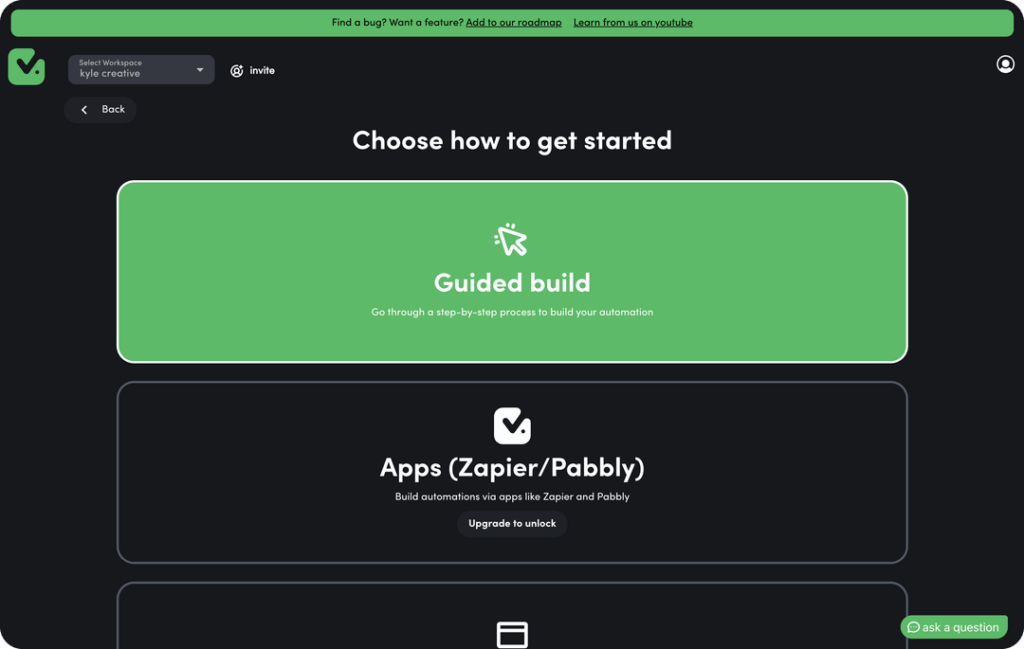
All tests were run on Windows 11 (Intel i7, 16 GB RAM) using TaskMagic Desktop v2025.10 on an AppSumo Lifetime Tier 1 account. That means no included cloud runtime and a single local user. The machine sat on gigabit home fiber—no proxy and no VPN. We deliberately avoided personally identifiable information and used dummy or public data only.
Test scenarios reflected common growth workflows:
- A 100‑row scraping pass from a dynamic listing to a structured table.
- A data migration from Google Sheets into a WordPress dashboard (create 50 drafts).
- A multi‑hour stability soak repeating the migration to surface leaks or crashes.
- A small social sanity check with a burner profile (low‑risk actions at conservative pacing).
We recorded setup time, execution time, and success/failure per scenario. When something broke, we tried obvious fixes: add waits, slow the loop, or re‑record a step. Only after those attempts did we mark it a failure.
Why Tier 1? It mirrors the experience of cost‑conscious teams who grabbed the lifetime deal. If you need scheduled runs, you’ll feel the gravity of cloud runtime quickly. We call that out plainly in the pricing section.
What Happened When We Pressed “Run”
The recorder does exactly what you want on day one. You click, it learns. You loop, it iterates. Then reality shows up: a cookie prompt appears, a button moves, an infinite scroll loads a beat slower than yesterday. The upside is that TaskMagic gives you enough control—delays, re‑recording a single step, looping from a sheet—to adapt. The downside is that long, unattended runs still go sideways more often than API‑only tools.
Measured Results
Scraping, 100 items. Recording took just over three minutes. The run finished in 21 minutes 40 seconds with all rows correctly captured into a clean table. That’s about 13 seconds per item—nowhere near a compiled scraper, but perfectly fine for teams without developers.
Data migration, 50 WordPress drafts. We bound columns from a Google Sheet, imported a login cookie to avoid 2FA every run, and recorded the steps to create a draft. The single run finished in 45 minutes 12 seconds and produced exactly 50 drafts. Slow? Yes. Hands‑free? Also yes.
Stability soak. We looped the WordPress flow repeatedly to imitate a multi‑hour unattended job. The first attempt froze around draft #32. Two repeats froze earlier—once around draft #12, once almost immediately when a selector silently failed after a page layout wobble. Re‑recording the failing step helped briefly, until a new blip appeared elsewhere. The pattern is clear: short runs are fine; multi‑hour runs are fragile.
Social sanity. On a burner profile and gentle pacing, our small batch of “like” actions completed without flags. We would never point a high‑velocity outreach bot at a production brand account. Human‑like delays and hard daily ceilings are non‑negotiable if you value your domain and account health.
Benchmarks at a Glance
| Scenario | Setup time | Average runtime | Estimated cloud hours per run | First‑try pass rate |
|---|---|---|---|---|
| Scrape 100 items | 00:03:15 | 00:21:40 | ~0.36 | 100% |
| Sheet → 50 WP drafts | 00:08:00 | 00:45:12 | ~0.75 | 100% (single run) |
| Stability soak (repeat many times) | 00:08:00 | — | — | Low (freezes, selector misses) |
| 20 low‑risk social actions | 00:02:10 | 00:05:00 | ~0.08 | 100% |
How to read this. The numbers say TaskMagic is a time‑saver for bounded jobs you babysit or run once daily. They also say cloud hours are real currency: a 45‑minute UI job consumes about three‑quarters of an hour from whatever monthly or pre‑paid pool you have. You cannot schedule endless UI runs without minding the meter.
Recorder, Loops, and the Little Tricks That Keep It Working
Recording is the right abstraction. It’s cognitive off‑load: “show, don’t configure.” Loops make it practical: a list of inputs in Sheets can drive the same set of actions across hundreds of rows. A few patterns kept our success rate high:
Use short, explicit waits. After navigation, add a brief pause for the dynamic element you need. It’s better than racing the spinner. A quarter‑second here and there beats an unhandled selector miss.
Favor stable anchors. When you select an element, prefer something unlikely to change—unique IDs, clear text, or a parent selector less volatile than a positional nth‑child. If a target moves once a week, plan on re‑recording that step once a week.
Keep loops modest. Chunk a thousand‑row job into batches of a hundred. If a run stalls, you re‑run from the last successful batch instead of losing an entire evening.
Document the hotfix. Your SOP should include “how to re‑record step X” with a screenshot. When the web moves, you want muscle memory, not a hunt.
These techniques won’t make UI automation bulletproof, but they’ll make it tolerable—and that’s the bar most growth teams need to clear.
The Apps Canvas: Where UI Meets API
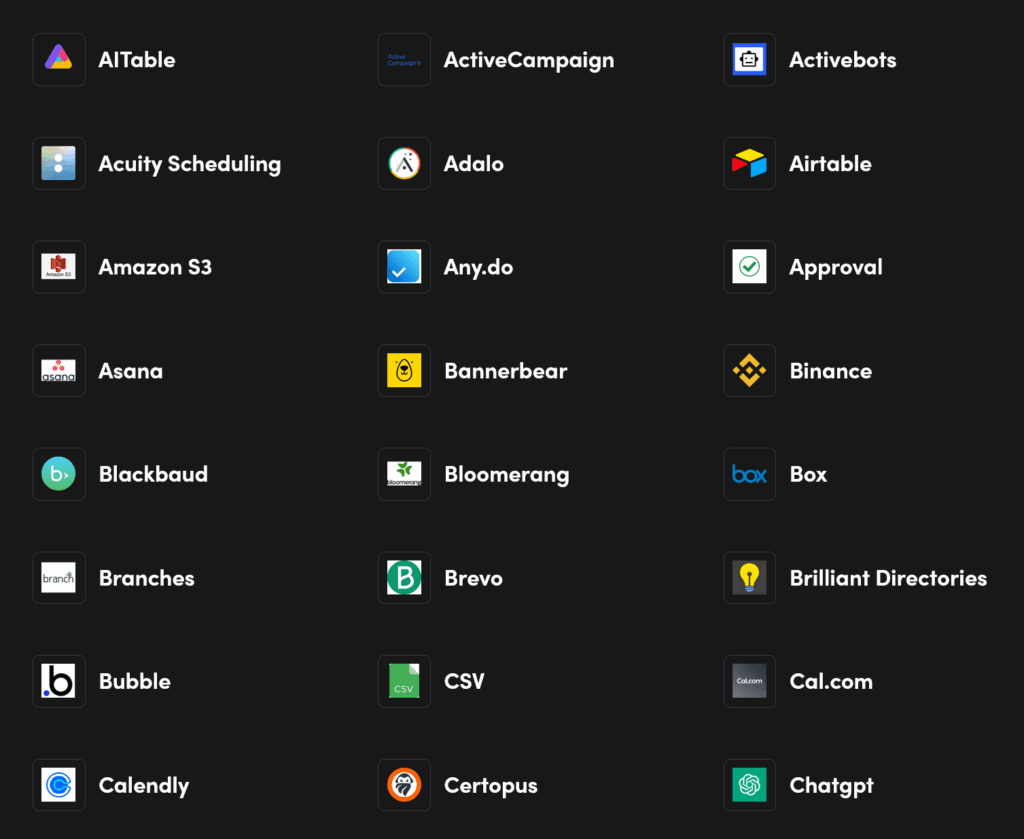
TaskMagic’s embedded apps layer turns a recorded click‑fest into a full workflow. In practice, we scraped titles, fed them into an LLM summarizer via a simple HTTP step, then appended the results to a Sheet before the bot resumed clicking. When it works, it feels like cheating: one tool doing the jobs of both a browser robot and a Zapier clone.
The rough edges show up in three places. First, connector reliability: an auth token can expire silently and the step hangs until you re‑authenticate. Second, timing across boundaries: a UI step finishes, the API step starts, but the previous page hasn’t truly settled. Small waits fix most of it, but you’ll learn to pace your flows. Third, error surfacing: API failures bubble up as generic step errors. You’ll get through them, but the ergonomics aren’t yet at the level of mature iPaaS platforms.
Even so, the hybrid model is powerful. Much of a growth marketer’s world lives in this seam: scrape, enrich, send; search, filter, message. TaskMagic can live in that seam—if you keep expectations reasonable.
Scheduling Reality: Local vs. Cloud
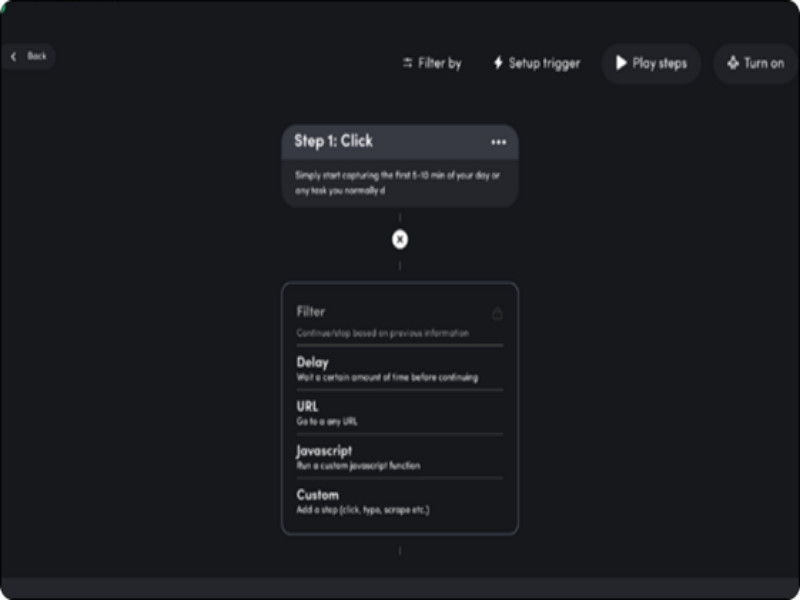
On desktop, “scheduling” means you or your operating system start the run and keep the computer awake with TaskMagic open. That’s workable for one‑off afternoon jobs or a morning ritual. It’s not workable for a bot you expect to run at 2 a.m. every day without fail.
Cloud execution is where proper scheduling lives. You deploy the flow to a remote worker, set a time, and walk away. The catch is the hour meter. A job that takes 45 minutes locally takes 45 minutes in the cloud, deducted from your monthly allowance. When that pool empties, runs stop until next month—or until you buy more hours. The upside: the run doesn’t depend on your laptop staying awake. The downside: there’s a hard ceiling on how many minutes of robot time you get for the price you pay.
In other words, TaskMagic’s cloud feels like a taxi meter. Plan routes. Budget minutes. Keep jobs short and purposeful.
Anti‑Bot Hygiene and Staying Logged In
The recorder starts in a clean browser context. That’s great for repeatability; it’s bad for services that expect a logged‑in session. Two pragmatic options helped us:
Session cookies. Export a cookie from your normal browser and import it into TaskMagic’s. When it’s valid, you skip most login friction for that site. When it expires, renew the cookie and carry on. It’s not elegant, but it’s effective.
Pacing and ceilings. The fastest way to get blocked is to act like a robot. Add jitter to delays, cap your daily actions, and avoid running the same pattern at the exact same times. When in doubt, go slower—especially on platforms that police automation aggressively.
CAPTCHAs are a hard stop. TaskMagic doesn’t solve them out of the box. If they appear mid‑flow, the run pauses or fails. Some teams integrate third‑party solvers through an HTTP step, but we recommend designing around CAPTCHAs when you can: fewer actions per session, softer timing, and workflows that don’t live on brittle front doors.
Security, Privacy, and Where We Drew the Line
Running on your desktop keeps most data local. That’s a plus. But the moment you schedule on cloud workers, your bot executes on remote machines you don’t control. We looked for public, enterprise‑grade comfort signals—SOC 2, a published GDPR Data Processing Agreement—and didn’t find them at the time of writing. We also didn’t find a published, signed DPA workflow from within the app.
Our policy for this review—and the policy we recommend to readers—is simple: treat TaskMagic as a public‑data tool. Scrape product listings. Move marketing copy. Test internal dashboards with dummy data. Do not feed it live customer PII or regulated financial/health data unless and until the vendor offers the formal assurances your compliance team expects and you have a signed DPA in hand.
This isn’t a knock on intent; it’s operational risk management. UI bots inevitably see secrets if you point them at secrets. Be conservative.
Pricing and Value: Two Currencies You’ll Actually Feel
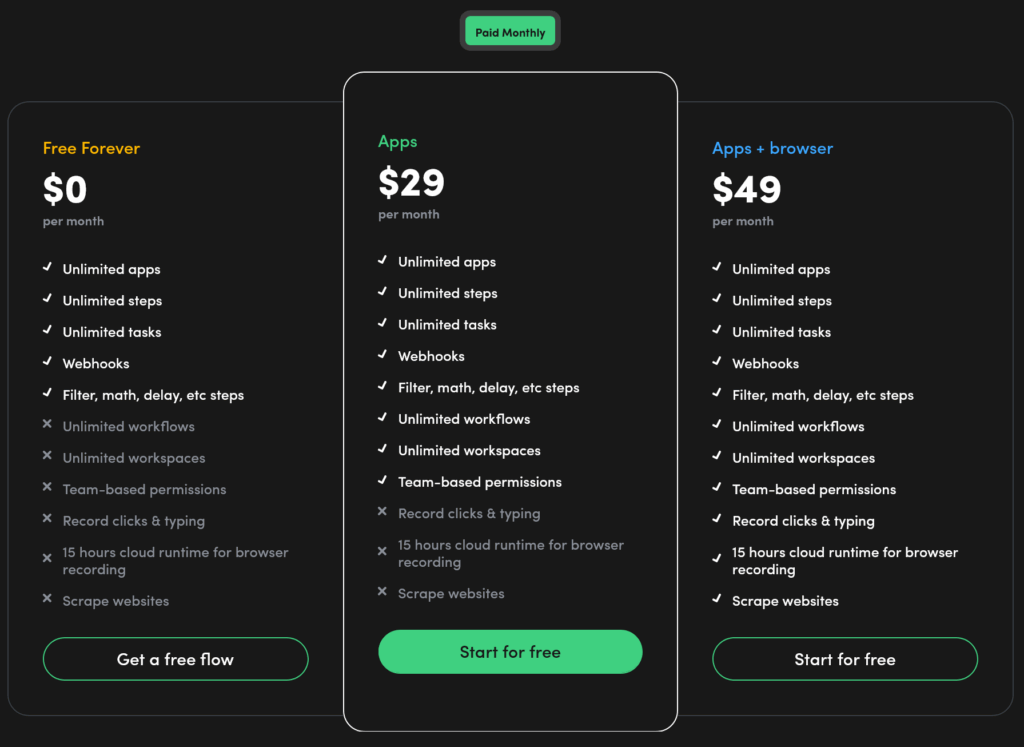
TaskMagic’s price feels low if you only count the desktop app. It feels different when you count cloud runtime hours, which are what make automation hands‑off. Think in two currencies:
- Local time—free once you’ve purchased a plan or LTD; requires a powered‑on machine and manual or DIY triggers.
- Cloud time—metered minutes on remote workers; true scheduling lives here.
Here’s a pragmatic way to reason about it. The 45‑minute WordPress job we measured consumes roughly 0.75 hours each time it runs in the cloud. With a modest monthly allowance, that’s a couple dozen runs per month for one such job. If you have three jobs like that, you’re buying more hours.
Pricing Tiers at a Glance (Verify Before Publishing)
| Tier | Core idea | Best use case | Watch‑outs |
| Free/Starter | Try the recorder and Apps, manual runs only. | Kick‑the‑tires evaluation. | Tight quotas; no hands‑off scheduling. |
| Apps | API‑only automations with logic and webhooks. | Back‑office syncs that never touch a browser. | No UI recorder; still metered in the cloud. |
| Apps + Browser | Recorder + Apps + a modest cloud allowance. | Hybrid flows you’ll schedule occasionally. | Hour ceiling arrives faster than you expect. |
| Cloud hour add‑ons | One‑time purchases that unlock recurring monthly hours. | Multiple scheduled UI jobs, predictable cadence. | Up‑front cost; plan carefully to avoid overbuying. |
Deal math. If a VA spends fifteen hours a month on a task your bot can do, the breakeven is straightforward. At thirty dollars an hour, that’s $450 in manual time. If the bot runs in the cloud for the same number of hours and finishes on the first try, you win. If you spend an hour a day nursing freezes or re‑recording steps, the math flips quickly. Reliability is the multiplier on ROI.
Alternatives and When to Choose Them

You don’t need one tool; you need the right tool per job. If an API exists, use it. If it doesn’t, consider a browser robot. If you need governance and scale, pick something with an orchestrator.
| Tool | Best for | Standout strength | Entry price feel | Notable limitation |
| Make (Integromat) | Complex API workflows with branching/routers | Powerful visual logic with fine control over data | Low | No browser automation at all. |
| Zapier | Simple app‑to‑app automations among popular services | Huge connector catalog; rapid setup | Low | Costly at large volumes; no UI automation. |
| Robomotion (RPA) | Web + desktop automation with orchestration | Robots, queues, vaults—more enterprise‑like | Mid | Steeper learning curve than TaskMagic. |
| Axiom.ai | Reliable web automations at scale | Strong scheduling and cloud bots for UI flows | Mid | Priced by runtime; demands careful planning. |
| Bardeen | AI‑assisted GTM playbooks (LinkedIn/CRM) | Playbooks + AI that feel “assistant‑like” | Free+ | Credits/limits; not a general‑purpose RPA. |
How to decide. If your process can be expressed entirely as API calls, Zapier or Make will give you higher reliability and clearer errors. If the process truly requires clicking through a web UI, TaskMagic or Axiom will feel natural. If you need robots with role‑based access, audit logs, and vaults for secrets, step up to an orchestrated RPA product like Robomotion.
Who Should Adopt—and Who Should Pass
Adopt if your work lives at the edge of what APIs can do: scraping public directories, populating a CMS from a sheet, pulling light competitive intel. You don’t have engineers on speed dial, and you’re comfortable re‑recording a step when a site shifts. You’ll get real time back within a week.
Pass if you expect mission‑critical reliability or you operate in a compliance‑heavy environment. If a missed run causes revenue loss, stick to API‑based tools or full RPA with orchestration and SLAs. If you must handle PII, pick a vendor with published attestations and a signed DPA.
A Brief Debate—and Our Verdict
The case for adopting. TaskMagic crushes tedious web chores without code. It accelerates research, list building, and back‑office busywork. The learning curve is shallow; first value arrives in an afternoon. For founders and growth teams who routinely smack into API walls, it unlocks new surface area.
The case against. The web is a moving target. Long, unattended loops break. Cloud hours impose a hard scheduling budget. Error messages can be opaque. And without public attestations or a DPA, sensitive data is off‑limits. If you need a robot you can forget about, this isn’t it—yet.
Final verdict. Treat TaskMagic like a power tool you keep within arm’s reach, not the foundation of your operations. Use it for short, high‑leverage jobs on public data, and your week gets lighter. Expect it to be a 24/7 scheduler or a compliance‑ready data processor, and you’ll be disappointed. Our score lands at 5.5/10 today: strong for non‑critical growth work; not there for business‑critical automation.
FAQ (Plain‑Language Answers)
u003cstrongu003eCan I run flows on a schedule without keeping my computer on?u003c/strongu003e
Yes, in the cloud. Each run consumes from a monthly or pre‑paid hour pool. When the pool empties, runs pause until it refills.
u003cstrongu003eIs there a public API to manage bots programmatically?u003c/strongu003e
Not at the time of writing. You can trigger flows with webhooks and pass data, but you can’t fully manage the platform via an official API.
u003cstrongu003eWill this get my accounts banned?u003c/strongu003e
Any automation can cause problems if abused. Go slowly, add randomness, and respect daily ceilings. Test with burner profiles first. Never automate critical brand accounts at high velocity.
u003cstrongu003eHow do I keep the bot logged in?u003c/strongu003e
Import a valid session cookie and renew it when it expires. It reduces repeated logins but doesn’t eliminate friction entirely.
u003cstrongu003eWhat if a CAPTCHA appears?u003c/strongu003e
The run stalls or fails. Design around CAPTCHAs or integrate an external solver. Better yet, lower volume and slow the cadence to avoid them.
u003cstrongu003eCan I export my flows?u003c/strongu003e
Treat TaskMagic as a walled garden. Maintain a parallel SOP with screenshots so you can rebuild quickly elsewhere if needed.
u003cstrongu003eIs it safe for customer data?u003c/strongu003e
We recommend against it. Until the vendor publishes enterprise attestations and offers a signed DPA, restrict usage to public or test data.