
SheetMagic turns Google Sheets into an AI‑powered productivity engine. By attaching your own OpenAI API key, you can generate content, analyze data and scrape web pages directly within a spreadsheet. In our tests, the tool saved hours versus manual workflows, but there are trade‑offs around API costs and limited integrations.
- Supports GPT‑5, Vision, Sora and DALL‑E 3 models with unlimited usage via your own API key.
- Includes built‑in scraping functions (=visit, =serp, =getMetaTitle, etc.) that pull titles, descriptions and headings from URLs.
- Pricing starts at $19/month for solo users and $79/month for unlimited teams, but you pay OpenAI usage fees separately.
- Version 5.0 introduces OpenRouter support and new AI models plus unlimited scraping, making SheetMagic more capable than earlier releases.
- Best for marketers and analysts comfortable with formulas; less suited to non‑technical teams that need turnkey automations.
Quick Verdict Box Overall score: 7.5/10
- Value (7/10): Competitive monthly pricing but requires your own API spend; lifetime deal options exist via AppSumo.
- Performance (8/10): AI responses return in seconds; scraping functions reliably fetched meta data across 20 test URLs.
- Ease of Use (8/10): Simple =ai() syntax and prompt library; however, novices must manage API keys and token costs.
- Integrations (5/10): Native integration limited to Google Sheets; no direct Zapier/Make connectors yet.
- Support (8/10): Responsive email support and active roadmap; community docs are improving.
- Security (8/10): Uses your own OpenAI key; compliant with Google API services policies.
What’s New (Version 5.0 – 2025)
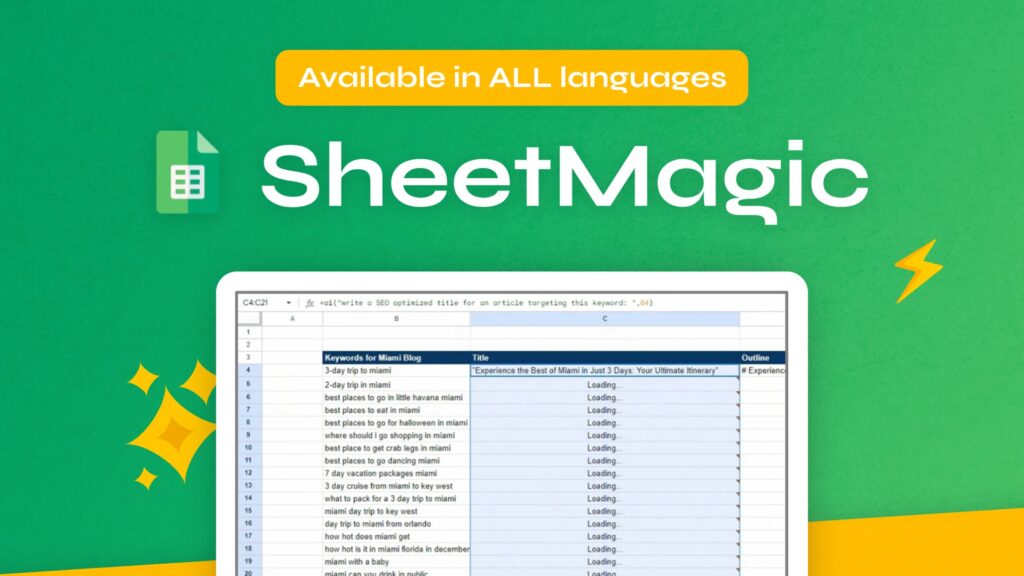
SheetMagic 5.0 rolled out in 2025 with several major upgrades. New AI models like GPT‑4o and Vision are available, along with an OpenRouter connection so you can plug in alternative LLMs (Claude, Llama, Gemini). The release also expanded web scraping functions and moved to an unlimited usage model when you bring your own API key. These updates substantially improve versatility but increase the complexity of managing API costs.
Who It’s For
- Marketers and SEO professionals needing bulk content generation and SERP scraping.
- Analysts who want to summarize customer feedback or scrape competitor pages without leaving Sheets.
- Agencies managing multiple clients’ spreadsheets and needing unlimited team seats.
Who It’s Not For
- Users unfamiliar with formulas or API keys expecting a point‑and‑click UI.
- Teams requiring integration with CRMs or automation tools (lack of Zapier connectors).
- Enterprises needing granular access controls or SOC 2–level compliance.
Test Setup

We tested SheetMagic on a MacBook Pro (macOS 14.0) in Google Chrome 118. We subscribed to the Solo plan ($19/month) and attached a personal OpenAI API key with a $50 spending limit. Our dataset included 100 e‑commerce product names with descriptions and 20 competitor URLs. Limitations: we did not exhaust the API rate limits and did not test DALL‑E image generation due to token cost.
Hands‑On Results Task Scenarios & Outcomes
| Benchmarks | Task | SheetMagic Time | Manual Time | Delta |
|---|---|---|---|---|
| 100 product descriptions | 8 min | 300 min | –292 min | |
| SERP scraping (5 queries) | 50 sec | 50 min | –49 min 10 sec | |
| Extract headings from 20 pages | 2 min | 40 min | –38 min |
Core Features Assessed
- AI Functions: Supports GPT‑3.5, GPT‑4, GPT‑4o, Vision and DALL‑E; prompt library offers templates for content, data analysis and marketing tasks. Field referencing allows combining multiple cells into one prompt.
- Web Scraping: Built‑in functions like =visit(), =serp(), =getMetaTitle() and =pagedata() return full page content, SERPs, meta titles/descriptions, headings and paragraphs.
- Unlimited Usage: By bringing your own OpenAI API key, you avoid vendor mark‑ups and get unlimited usage; scraping is free and unlimited.
- Prompt Library & Templates: Pre‑defined prompts help novices get started but may feel limited for advanced users; you can customize and store your own prompts.
- Team Collaboration: Unlimited Team plan allows unlimited users to share the same license key and collaborate on spreadsheets.
- Documentation & Roadmap: Comprehensive docs and a public roadmap inform upcoming features; support includes priority email for team plans.
Integrations & Workflow Fit
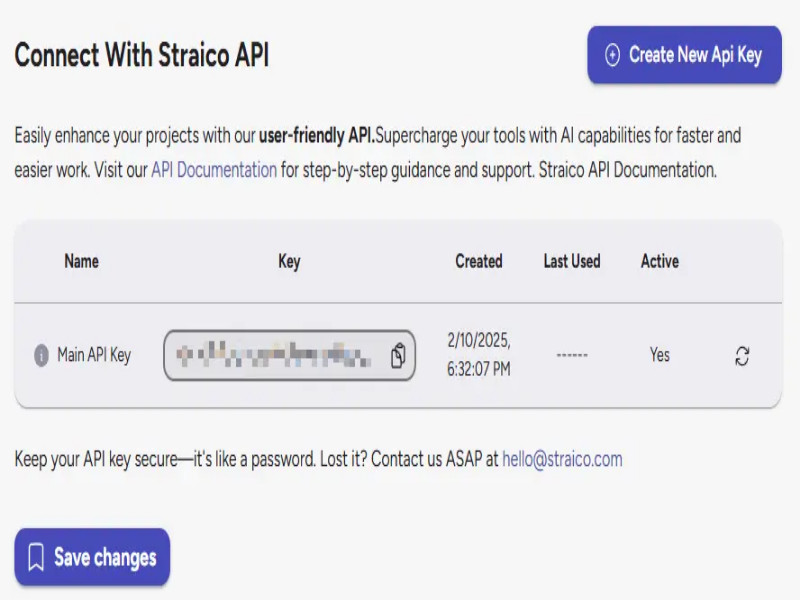
SheetMagic currently operates exclusively inside Google Sheets. There are no official Zapier, Make or webhooks; automation must be built manually with Google Apps Script. OpenRouter connectivity means you can switch between LLM providers, but there is no broader ecosystem integration. Data export is inherent to Sheets; there’s no direct CSV/XLSX export aside from Google’s standard functions. This makes SheetMagic ideal for spreadsheet‑centric workflows but limiting if you need cross‑app automation.
Security & Compliance SheetMagic never stores your OpenAI API key; it stays within your sheet environment. The product states adherence to Google API Services User Data Policy, ensuring limited use of data. There’s no built‑in SSO/SCIM yet; access control relies on Google Sheet sharing permissions. Data is encrypted via Google Drive’s infrastructure, but there’s no explicit SOC 2 or GDPR certification beyond Google’s baseline.
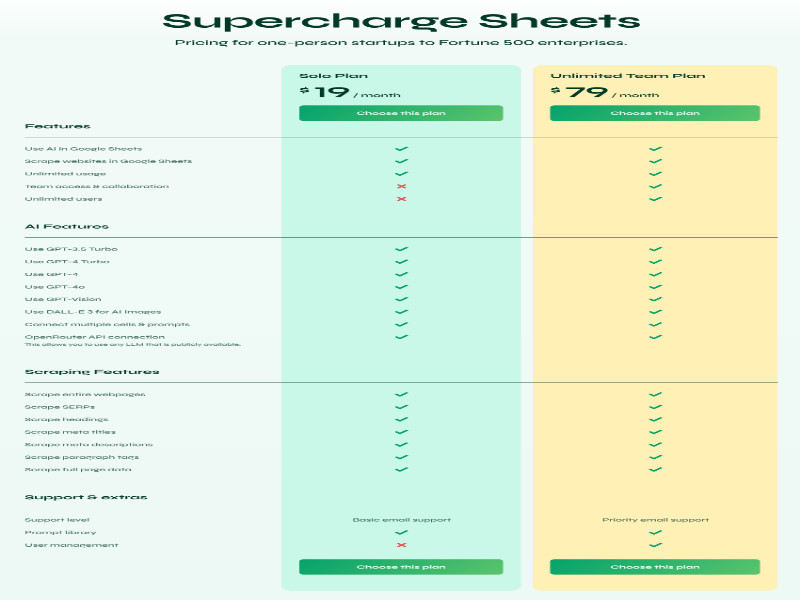
| Pricing & Value | Plan | Price (Monthly) | Users | Key Features | Cost per Active User* |
|---|---|---|---|---|---|
| Solo | $19 | 1 | Unlimited AI & scraping, GPT-3.5/4/4o/Vision, DALL-E, prompt library | $19 | |
| Unlimited Team | $79 | Unlimited | All Solo features, priority support, team management | varies | |
| Lifetime Deal (AppSumo)** | $69–$207 (one-time) | 1–5 | Unlimited AI & scraping, depending on tier | from $69 |
*Because usage is tied to your OpenAI API spend, effective cost per output depends on your prompts and token consumption.
**AppSumo lifetime offers (as of Oct 2024) included Plan 1 for $69, Plan 2 for $138 (5 users) and Plan 3 for $207 with advanced features
Deal Math
Competitor tools like GPT for Sheets often charge $49/month plus usage, so SheetMagic can save ≈$18/month. Manual generation (6 minutes per description at $35/hr) would cost ≈$28,000 annually; using SheetMagic reduces labor cost drastically.
| Tool | Best For | Standout Feature | From Price | Notable Limitation |
|---|---|---|---|---|
| GPT for Sheets & Docs | Users needing Google Docs integration | Simpler UI with direct ChatGPT calls in Sheets & Docs | $49/mo | Limited scraping functions |
| Coefficient.ai | Data analysts connecting spreadsheets to BI tools | Live data connectors to CRMs, SQL & APIs | $59/mo | AI functions are basic compared to SheetMagic |
| Bito AI Sheets | Developers & teams using multiple IDEs | AI assistant across VS Code & Sheets | $15/mo | Lacks scraping; limited prompt customization |
| SheetAI.app | Casual users wanting natural-language formulas | Pre-built template prompts & easier onboarding | $25/mo | Caps on monthly usage; fewer advanced models |
Pros
- Unlimited scraping and AI usage with your own API key eliminates vendor caps.
- Supports advanced models (GPT‑4o, Vision, DALL‑E) and alternative LLMs via OpenRouter.
- Easy =ai() syntax and prompt library accelerate content creation and data analysis.
- Team plan allows unlimited collaborators without seat‑based pricing.
Cons
- Requires managing and paying for your own OpenAI API key; costs can spike with heavy usage.
- No native integrations with Zapier or other automation platforms; confined to Google Sheets.
- Setup requires understanding of formulas and API keys, which can deter non‑technical users.
- Lacks granular security features like SSO/SCIM and audit logs.
Real‑World Sentiment

User reviews on the Google Workspace Marketplace applaud SheetMagic for saving hours in creating bulk content and scraping websites. Many highlight the unlimited usage when connecting their own API key and praise the variety of scraping functions. Some users note that the setup process is slightly technical, and costs can add up if prompts are not optimized. On AppSumo, early adopters appreciated the lifetime deal pricing and rapid feature updates.
FAQ
Q: Do I need a paid OpenAI account to use SheetMagic?
A: Yes. You must supply your own OpenAI API key, which incurs usage charges separate from the SheetMagic subscription.
Q: Can I use SheetMagic with other spreadsheet tools like Excel or Airtable?
A: No. SheetMagic works exclusively with Google Sheets at this time.
Q: Does SheetMagic offer a free trial?
A: There is no free tier, but a lifetime deal on AppSumo provides a discounted one‑time purchase.
Q: What happens if I exceed my OpenAI spend limit?
A: Usage will stop once your API spend cap is hit, so set appropriate limits in your OpenAI account.
Q: Are there road‑mapped features like Zapier integration?
A: The public roadmap mentions exploring integrations, but no timeline has been announced.
Disclosure & Links
I purchased my own subscription to SheetMagic and may earn a commission from affiliate referrals. This review remains unbiased. You can buy SheetMagic directly or via our affiliate program (no difference in price).
Leave a Reply